Protecting your privacy, made simple.
Before sharing a passport or ID copy, cover details the recipient doesn’t need.
PrivacyKit is free, requires no account, and keeps your photo in your browser.
Privacy Protection: See the Difference
A fictional sample passport edited in PrivacyKit. Needed details stay visible, unwanted details are covered, and a watermark shows the intended use.
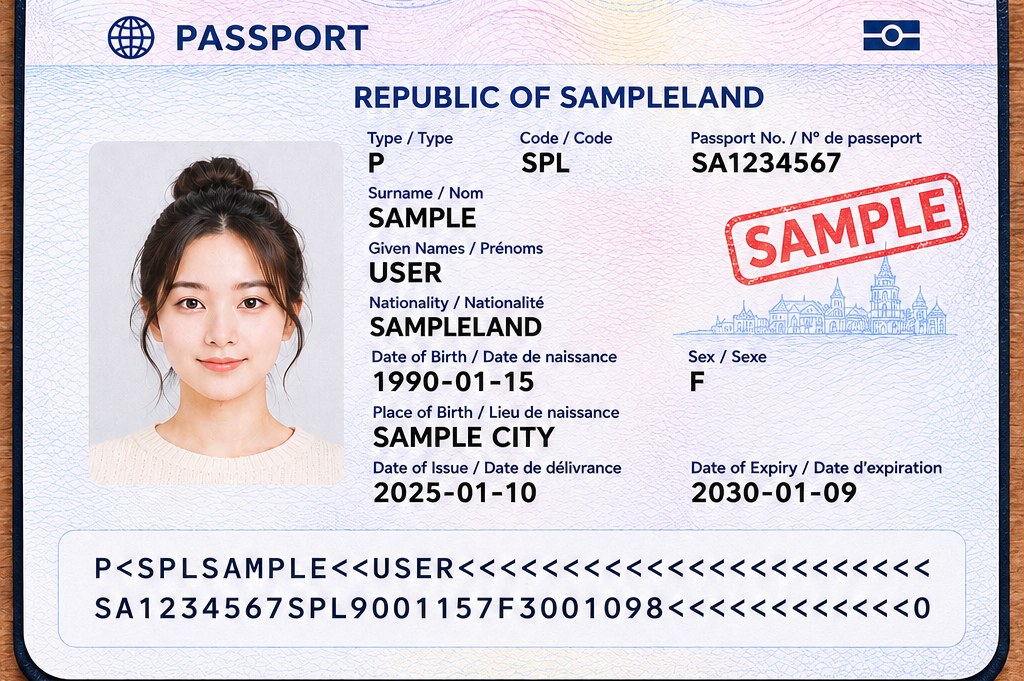
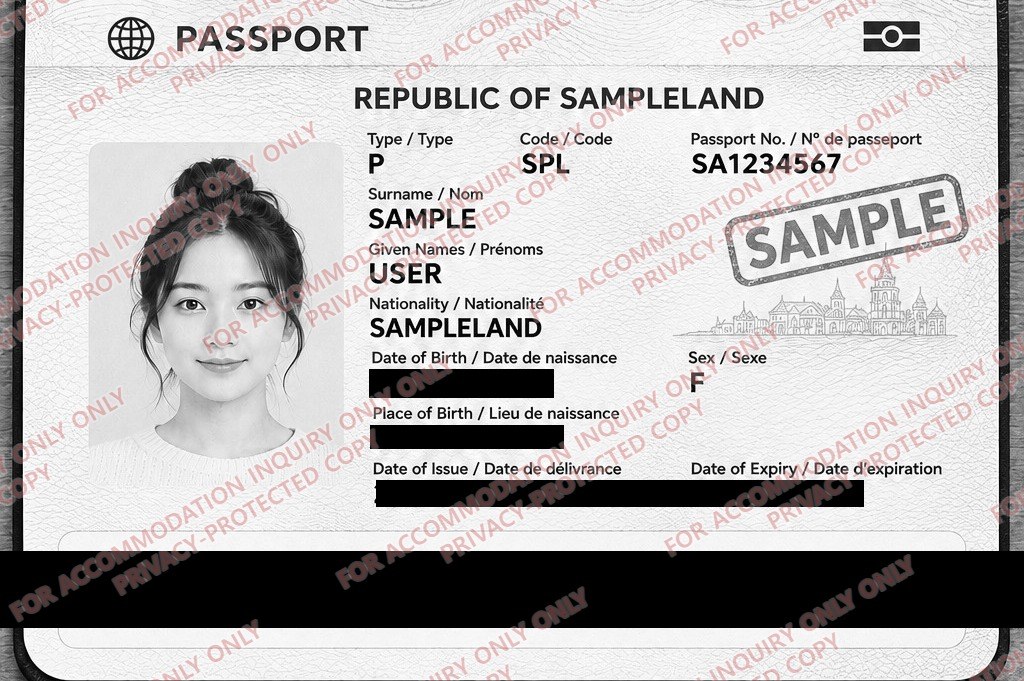
Fictional sample images. The same data-page area is shown in both.
What is PrivacyKit?
PrivacyKit is a collection of free online tools designed to help protect your personal information.
Wherever possible, files are processed directly in your browser.
Processed on Your Device
Edit photos in your browser without uploading them to a server.
Free, No Sign-up
Start right away—no account or payment required.
Simple Privacy Tools
Crop photos, cover details and add watermarks.
Review Before Saving
Check your edits, then save in your preferred format.
Available now
Protect Passport & ID Copies
Crop away unwanted background, cover personal details and add a watermark showing why and where the copy will be used.
Planned tools
These tools are planned but not available yet.
- PDF privacy cover
- Photo metadata remover
- Screenshot privacy
- Face and licence plate cover
- Document metadata cleaner